GoHighLevel CRM Setup for Tax Firms: Pipeline and Workflow Automation Case Study
A tax preparation business came to me with a new GoHighLevel account and no system inside it. I built a five-stage pipeline, an intake form that assigns each client to the right preparer, and status-based automations that keep clients and staff updated without anyone doing it by hand.
This case study walks through what I built and why, so you can see what the same setup would look like in your own firm. It's the same kind of build I deliver through my GoHighLevel CRM setup and automation service.
Where the tax firm started
The account was new, so there was nothing to clean up, but there was also nothing to work from. Three gaps stood out:
No pipeline. There was no single place to see which clients were new, which returns were in progress, and which were waiting for review.
No way to assign clients to preparers. Each client needed to go to a specific staff member, and that was being decided manually.
No status updates. Clients had no way of knowing where their return stood unless someone contacted them.
The goal was a clean pipeline, automatic assignment based on what the client selects in the intake form, and status changes that update the pipeline and notify the right people.
The pipeline: five stages for the tax client journey
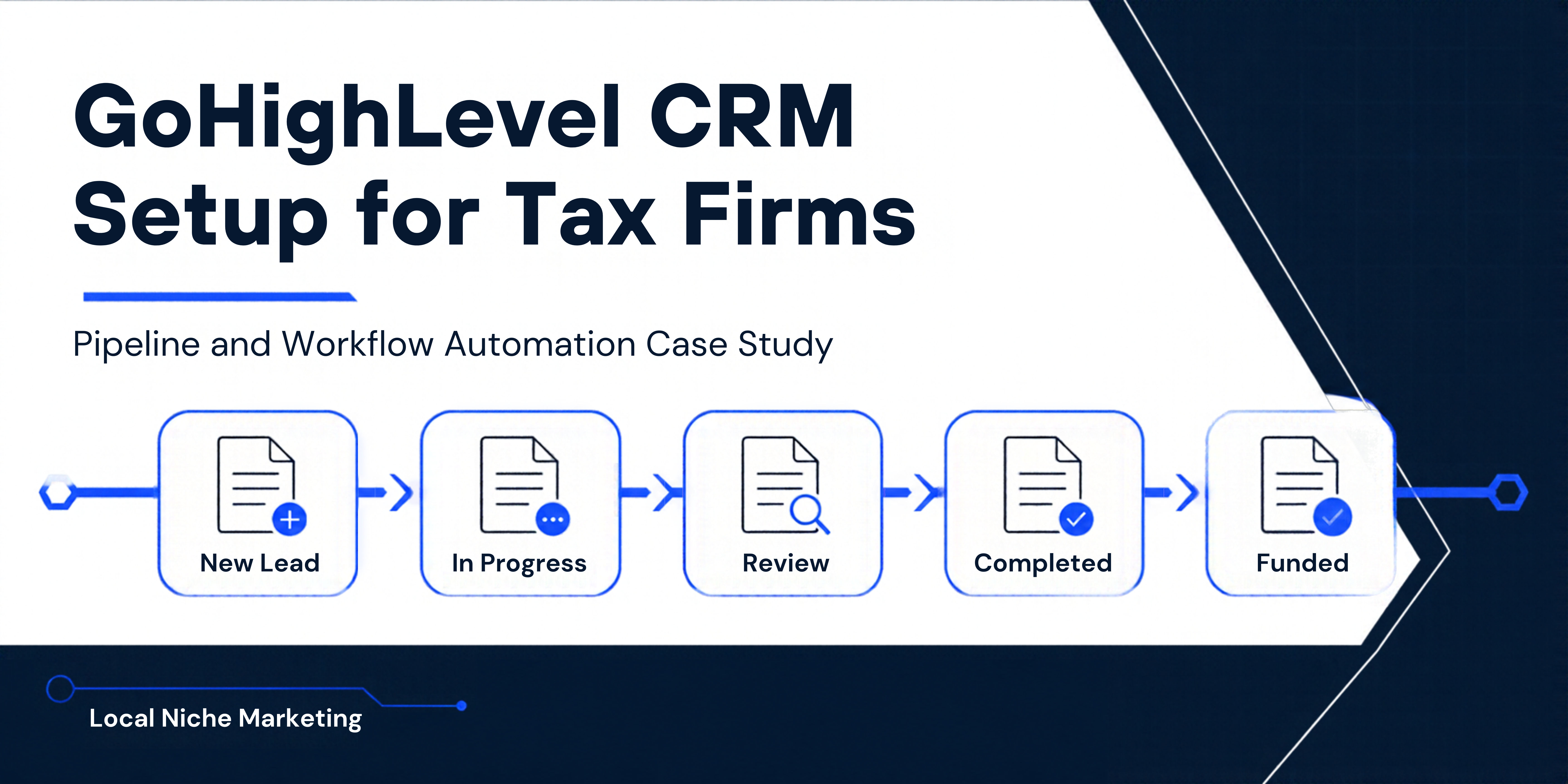
The pipeline has five stages, and each one answers a question the owner would otherwise have to ask a staff member.
Stage | What it means |
|---|---|
New Lead | The client has submitted the intake form and documents. |
In Progress | The assigned preparer has started working on the return. |
Review | The return is prepared and is being checked before filing. |
Completed | The return has been filed. |
Funded | The client's refund has been paid out. |
Nobody drags cards between stages. A preparer changes the client's status, and the pipeline moves on its own. That detail matters, because a pipeline that depends on staff remembering to move cards drifts out of date.
The intake form: one submission collects documents and picks the preparer
I built one form that collects the details and documents needed for the return, with a custom field for each item. The same form includes a tax preparer selection field listing the firm's staff members.
That single field drives the assignment. Whoever the client selects becomes the owner of that client's record, with no one sorting submissions by hand.
Workflow 1: assign each new client to the right preparer
This workflow starts when the intake form is submitted.
Create the opportunity. The client is added to the tax pipeline in the New Lead stage.
Check the preparer selection. An If/Else condition reads the tax preparer selection field, with one branch for each staff member.
Assign the user. The branch that matches assigns the client to that preparer in GoHighLevel.
Notify the preparer. An internal SMS tells them a new client has come in and is ready to work on.
Confirm with the client. The client receives an email and an SMS confirming their submission.
Adding a new preparer later is a small change: add their name to the form field and duplicate one branch.
Workflow 2: status changes move the pipeline and update the client
Each client record has a contact status field. When a preparer changes it, a workflow does the rest.
Status changes to In Progress. The opportunity moves from New Lead to In Progress.
The client is told. An email and an SMS let them know the team has started reviewing their documents.
A reminder protects against stalls. If nothing moves after three business days, the assigned preparer gets a reminder.
Review is triggered the same way. When the return is prepared, the status changes, the opportunity moves to Review, and a staff member is notified to check the return before filing.
The later stages follow the same pattern: one status change, one stage move, and the right messages sent.
What changed for the firm
Assignment is automatic. Every new client reaches the preparer they selected, and that preparer is notified straight away.
Clients hear from the firm at each step. Updates go out when work starts and as the return moves forward, so they don't have to call to ask where their return stands.
Stalled returns get flagged. The three-day reminder means a file can't sit unnoticed.
The owner can see everything in one view. The pipeline shows how many returns sit in each stage and who owns them.
What other tax firms can take from this
The build itself is not complicated. It works because of three decisions made before any automation was built:
The pipeline mirrors how a return moves through the office. Stages match real handoffs, not generic sales steps.
One field controls one outcome. The preparer selection controls assignment, and the contact status controls stage movement. Staff only ever update one thing.
Every stage change tells someone something. The client, the preparer, or the reviewer gets a message, so nothing depends on memory.
If your firm tracks returns in spreadsheets, inboxes, or someone's head, these three decisions are where to start.
Want to see how this would fit your firm?
I offer a short GoHighLevel review call for tax firms. I look at how you currently handle intake, document collection, and client updates, and point out the two or three gaps that cost the most time. You get a written outline of what a build would include, whether or not you go ahead with it.


